
Reseller guide
Common eBay Listing Mistakes That Get Items Stuck or Flagged
The most common cause of a stuck or flagged eBay listing is a short list of avoidable mistakes: missing item specifics, a wrong category or condition, missing shipping details, prohibited items, keyword spam and misleading descriptions. Check each one before you tap publish, and treat eBay's own policy pages as the final word.
Sooner or later every seller gets an error message, a listing that will not publish, or a notice that something was taken down. A rejected or removed listing is frustrating, and it usually comes from a handful of avoidable mistakes. I have hit several of these myself. Here are the ones I check for before I tap publish. This is not legal advice or a full list of eBay's rules, so use it alongside eBay's own policy pages.
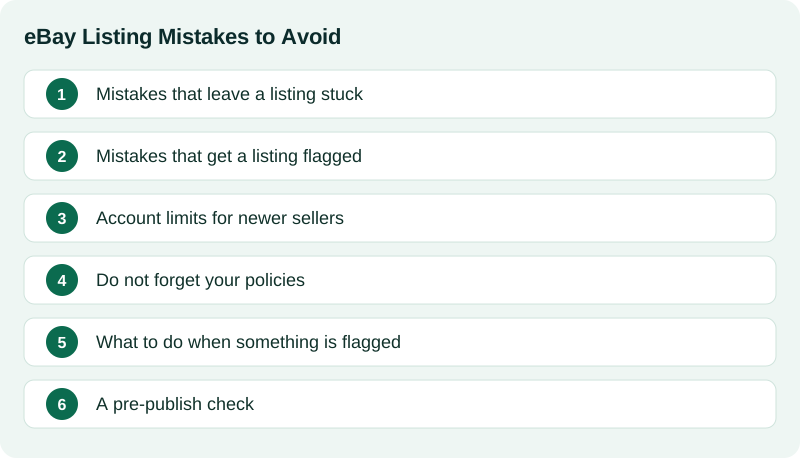
Mistakes that leave a listing stuck
Mistakes in this first group stop you from getting a listing live in the first place.
- Missing item specifics. Many categories require certain details, like brand, size or type. If one is missing, eBay may not let you finish. Fill in every one you can answer truthfully.
- Wrong or unsuitable category. If your item sits in a category that does not fit, you can hit errors or poor visibility. Check where similar sold items were listed.
- An invalid condition for the category. Each category allows certain condition choices. If the one you picked is not allowed, you will be asked to change it.
- Missing shipping details. If you use calculated shipping, eBay needs the package weight and size. If you use business policies, you need to have a shipping, payment and return policy selected, and a valid item location.
- Photo problems. You need at least one photo, and it has to meet eBay's requirements. Very small photos, or ones with borders or text added, can cause trouble.
- Price or quantity out of range. A price of zero, or a quantity that does not make sense, will be rejected.
- Title too long. Titles are limited to 80 characters. If yours is longer, shorten it.
A good habit is to read the error message carefully. eBay usually tells you which field is the problem, even if the wording is awkward.
Mistakes that get a listing flagged
Mistakes in this second group can lead to a listing being ended, a warning or limits on your account. Take them seriously.
- Prohibited or restricted items. eBay does not allow some items at all and puts conditions on others. Check the prohibited and restricted items policy for anything unusual, such as certain weapons, hazardous goods, medical items, or recalled products.
- Counterfeits and replicas. Never list fakes, or items you are not sure are authentic, as if they were genuine. Brand owners can report listings, and eBay can remove them. If you are not sure, say what you know and leave out the brand claim.
- Keyword spamming. Adding unrelated brand names or terms to your title or description to get more views is against the rules and annoys buyers.
- Duplicate listings. Listing the same item more than once can get extra listings removed. If you have identical items, use the quantity field.
- Photos you do not own. Do not copy photos or text from another seller's listing. For used items, use pictures of the actual item.
- Contact information or outside links. Phone numbers, email addresses and links that send buyers away from eBay are not allowed in listings.
- Taking the sale off eBay. Asking buyers to pay or deal with you outside eBay breaks the rules and removes your protections.
- Misleading condition or description. Calling a used item new, or leaving out a major flaw, leads to returns, bad feedback and cases against you.
- Missing required wording. Some items need specific statements. For example, toy guns and similar items must follow eBay's rules about how they are described. If you list in a category like that, read the policy first.
Account limits for newer sellers
If your eBay account is new or has been quiet for a long time, eBay may limit how many items you can list or how much they can add up to. This is normal. You can see your limits in Seller Hub and ask for an increase when you have a selling history. Do not try to get around limits with a second account, which is against the rules.
Do not forget your policies
Returns, shipping and handling time are part of your listing, not an afterthought. Choose a return policy you can live with, set a handling time you can really meet, and ship on time. Late shipping hurts your seller standing even if the listing itself was fine.
What to do when something is flagged
- Read the notice carefully. It names the policy and often the listing.
- Do not relist the same item again until you understand the problem.
- Fix the issue (change the wording, remove the claim, correct the category) and relist if the item is allowed.
- If you think it was a mistake, use the appeal or contact options eBay gives you in the notice.
- Keep a note of what happened so you do not repeat it.
A pre-publish check
- Title is 80 characters or fewer, accurate and free of spam. See how to write an eBay title that gets found.
- Category and condition fit the item.
- Every item specific I can answer is filled in.
- Photos are my own, clear, and show flaws. See how to take eBay photos with just your phone.
- Package weight and size are entered, and policies are chosen.
- The item is allowed, and I am sure it is authentic.
- The description is honest, with no contact details or outside links.
- I have not already listed this same item.
eBay's rules change and differ by category and country. This guide is based on my own experience as a seller. For anything that matters, read eBay's current policy pages.
When I built Listing Ventures AI, I put a check in front of the publish button for the things that most often cause trouble, like missing item specifics, an over-long title and missing package details, so you see them before eBay does. It will not catch everything, and the listing is always yours to review. You can try it free on a few items.
Sources
Official pages this guide relies on. Rules and fees change, so check them before you list.
- eBay Help: Prohibited and restricted items (eBay). Items eBay does not allow, or allows only with conditions.
- eBay Help: Search manipulation policy (eBay). Why unrelated keywords and brand names are not allowed.
- eBay Help: Selling limits (eBay). How monthly selling limits work and how to ask for an increase.
- CPSC: Resellers Guide to Selling Safer Products (U.S. Consumer Product Safety Commission). Why recalled products should not be resold, and how to check for recalls before listing.