
Reseller guide
How to Write an eBay Title That Gets Found
A good eBay title is made of the words a buyer would actually type to find the item: brand, item type, model or pattern, size, color and key details. Use the 80 characters eBay allows for true, specific words, leave out fluff, and check your wording against titles of similar items that sold.
Your eBay title does most of the work of getting a listing seen. Buyers type words into the search box, and eBay matches those words against what you wrote. If the words a buyer uses are not in your title, your item can be great and still invisible. I have rewritten titles on slow listings and watched them start getting views, so I take this part seriously.
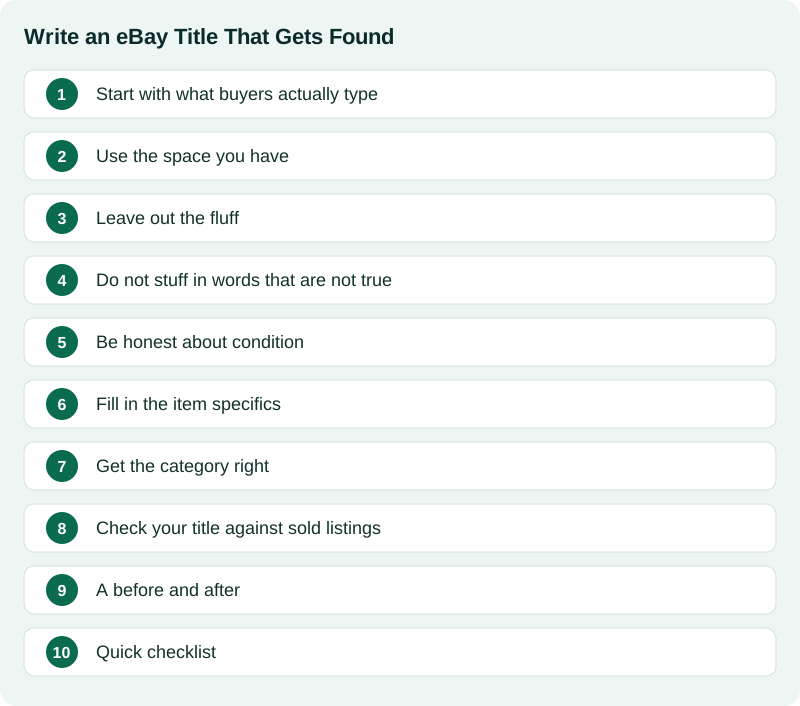
Start with what buyers actually type
Think about how you would search for the thing if you wanted to buy it. You would not type a clever phrase. You would type the brand, the item, and maybe a size or model. That is your title.
A simple pattern works for most items:
- Brand (who made it)
- What it is (the plain name of the item)
- Model, style or pattern (the part number or collection name, if there is one)
- Size, color, material (whatever buyers filter by)
- Key detail (edition, year, set count, vintage, signed, and so on)
For example, a title for a pair of boots might read like: brand, style name, men's size, color, leather. A book title might read: title, author, hardcover, edition or year. You are packing in facts, not writing a sentence.
Use the space you have
eBay gives you up to 80 characters for a title. A short title leaves room on the table. If you only use 35 characters, you are missing chances to match a buyer's search. Count how many characters you have used, and fill the rest with true, useful details.
On a phone, search results can cut a long title short, so put the most important words first. The brand and the item name should come before the extras.
Leave out the fluff
Words like "WOW," "L@@K," "RARE" in capitals and strings of exclamation marks do not help anyone search. They also eat characters. If something is truly rare, say what makes it so (first edition, discontinued color, limited run), because that detail is something a buyer might search for.
Skip punctuation and symbols unless they are part of the name. Do not type in all capital letters. A normal mix of capitals and lowercase is easier to read.
Do not stuff in words that are not true
Adding popular brand names or unrelated terms so more people see a listing can be tempting. Do not do it. eBay has rules against keyword spamming, which means adding words that do not describe the item. Keyword spamming can get a listing removed, and keyword spamming annoys buyers. Only use words that describe the thing you are selling.
The same goes for brands. Only use a brand name if the item is that brand. A brand name on an item the brand did not make can also be trademark trouble, because trademark law covers uses likely to confuse buyers about who made the goods. If you are not sure who made something, say what you can see, such as the material or style, and keep researching.
Be honest about condition
Put the condition words that matter in the title when they change the price, such as "new with tags," "for parts," or "signed." Leave minor flaws for the description and photos. A title that hides a big problem leads to returns and unhappy buyers, which costs more than a lost view.
Fill in the item specifics
Under the title, eBay asks for item specifics: brand, size, color, material, type and more, depending on the category. These matter. Buyers use them as filters on the left side of the search page, and eBay uses them to understand what your item is. A listing with empty specifics may never show up when a buyer filters by size or color.
Fill in every specific you can answer truthfully. Some are required for a category and eBay will not let you finish without them. Others are optional but still help you get found. It is a good habit to make sure the title and the specifics agree with each other.
Get the category right
A great title in the wrong category still struggles. Use eBay's category suggestion as a starting point, then compare it with how similar sold items were listed. If the sold items you found all sit in one category, list yours there too.
Check your title against sold listings
Look at items that sold, not just items that are listed. The titles on sold listings show the words that worked well enough to get a sale. You do not need to copy anyone, and you should never copy their photos or description. But you can notice the keywords they used and make sure you are not missing an obvious one.
Checking sold results is the same habit I use for pricing, which I describe in how to price vintage books for eBay. Sold results teach you both what to charge and what to call the item.
A before and after
Here is the kind of change I mean. A weak title says something like: "Nice old coffee mug L@@K". A stronger one names the brand, the pattern or line, the size, the color and the type of item, and uses most of the 80 characters. The second one matches far more of the searches a real buyer would run.
Quick checklist
- Lead with brand and item name.
- Add model, size, color, material or edition if they apply.
- Use close to all 80 characters, with true words only.
- Drop the fluff, symbols and all caps.
- Mention condition only when it changes the price.
- Fill in every item specific you can.
- Pick the category that matches similar sold items.
No title can guarantee a sale. Buyers, timing and price all matter too. A good title just makes sure you are in the room when the right buyer walks in.
Writing titles is quick when you know the item and slow when you do not. When I built Listing Ventures AI, I wanted it to draft a clear title that fits within eBay's 80 characters so I could adjust it instead of starting from a blank box. If that sounds useful, try it free on a few of your items.
Once the title is done, the next thing buyers look at is your photos. I wrote down my approach in how to take eBay photos with just your phone.
Sources
Official pages this guide relies on. Rules and fees change, so check them before you list.
- eBay Help: Search manipulation policy (eBay). Why unrelated brand names and keywords in a title are not allowed.
- eBay Help: Creating a listing (eBay). How titles, item specifics and descriptions fit together.
- USPTO: About trademark infringement (U.S. Patent and Trademark Office). Why using another company's brand name in a way likely to confuse buyers about the source of goods can be infringement.