
Reseller guide
How to Price Items Before You List Them (eBay Sold Comps, Fast)
Price from what the same kind of item actually sold for on eBay, not what sellers are asking. Filter to Sold, match the condition, look at the last 90 days, and price near the middle of the range. Then check how fast the item sells. For cheap finds, cap the research at about a minute and get the item listed.
I have resold for about seven years, mostly from storage unit auctions. That means a lot of boxes and a lot of items worth ten or twenty dollars, with the odd good one mixed in. This is the method I use before I list anything. It is not fancy, and it works for a pile as well as for one item.
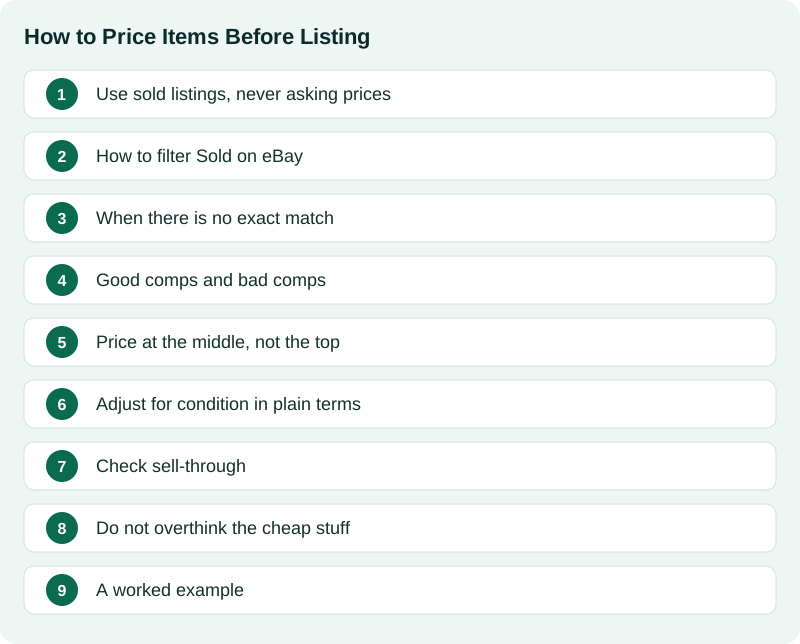
Use sold listings, never asking prices
Active listings show what sellers hope to get. Some are fair, many are too high, and some have sat for months because nobody wants to pay that much. If you copy an asking price, you are copying someone else's guess.
A sold listing is a real buyer who paid real money. That is the only number I trust for pricing. I keep three filters on: Sold, the same condition as my item, and roughly the last 90 days. Older sales can be useful, but the market moves, so recent ones count most.
How to filter Sold on eBay
eBay asks you to be signed in to a free account before it shows sold results. Then:
- On a computer: search for the item, then in the filter column on the left find Show only and tick Sold items. The results reload with a sold date on each one.
- In the eBay app: search, tap Filter, turn on Sold items, then tap Show results.
- Set the Condition filter to match your item (for example Used or New).
- Sort by Ended recently if you want the newest sales first.
Do not mix up Sold items with Completed items. Completed also shows listings that ended without a sale. For a price you want the ones that sold. Public sold results only reach back about 90 days, which is fine for most everyday items.
When there is no exact match
Plenty of storage unit stuff has no exact match. In that case I look for the same kind of item from the same era or the same maker. A 1970s enamel coffee pot from one maker is a fair guide for a similar pot from the same maker and decade, even if the color is different.
If the item has a part number or model number, search that first. A number on a label or the bottom of the item usually beats any description you could type. It is the fastest way to land on true comps.
Good comps and bad comps
A comp is only useful if a buyer would see it as the same thing. Some quick rules I use:
- Part numbers must match. A printer roller from a different brand is not a comp, even if it looks the same. Same part number, or the same maker and a model listed as compatible, is a comp.
- Same item, not just the same word. A vintage brand name on a reproduction is a different product. So is a set versus a single piece.
- Watch for lots and bundles. A sale for five items does not price one item. Divide it, or skip it.
- Watch for Best Offer. If a sold listing shows Best offer accepted, the final price may be lower than the number shown. Treat it as a rough guide.
Price at the middle, not the top
Once I have a handful of real comps, I look at the spread and price near the middle. The top sales are tempting, but they are often a mint example, a complete set, a bundle, or a lucky auction. The very bottom is often a damaged one or a rushed seller. The middle is what a normal buyer pays for a normal example.
If mine is clearly nicer than most of the sold ones, I lean toward the upper part of the middle. If it is rougher, I lean lower.
Adjust for condition in plain terms
I do not use a formula. I ask a simple question: would a buyer pick mine or the sold one? If mine has chips, missing parts, stains, fading or a smell, it goes lower than comps in better shape. If it is complete, clean and works, it can sit with the better ones. Describe flaws honestly and show them in the photos so the price makes sense to the buyer.
Check sell-through
Price is only half of it. I also want to know if it moves. Compare how many sold in the last 90 days with how many are listed right now.
- Many sold, few active: demand is there. I price at or a bit above the middle.
- Many active, few sold: the market is crowded. I price lower, or I skip it and put it in a lot or donate it.
Do not overthink the cheap stuff
For items worth about ten to twenty dollars, I cap research at about a minute. Find a few real sold comps, pick a middle price, and list it. A listed item can sell. A perfectly researched item sitting in a box cannot. Save the deeper digging for things that look like they are worth more.
A worked example
Here is a real one. I had a vintage National Washboard Co. No. 701 wooden washboard. The sold research found 17 sold listings, with a range of about $15 to $45. The high end was the nicest examples. The low end had more wear. Mine was in normal used shape, so I priced it near the middle of that range at about $25. That is the same method: sold only, close comps, the middle of the range, then a quick look at condition.
Once the price is set, a clear title helps buyers find it. I cover that in how to write an eBay title that gets found. If you are staring at a whole haul, start with where to begin with a storage unit or estate sale haul.
Prices move. Sold prices are a guide, not a promise, and nobody can guarantee what an item will sell for. Check eBay's current fees and what it will cost to ship before you decide a price is worth it. A cheap item that is heavy or bulky can cost more to mail than it earns.
I built Listing Ventures AI to do the first two steps for me: it looks at sold listings from a photo and suggests a price, and you set the final number. You can try it free with 3 free listings. No card, and it is not a subscription.
Sources
Official pages this guide relies on. Rules and fees change, so check them before you list.
- eBay Help: Selling fees (eBay). Current eBay fees by category, so you know what you keep after a sale.
- eBay Help: Item condition policy (eBay). What each condition label means on eBay.
- USPS Postal Explorer: Priority Mail prices and eligibility (DMM 123) (USPS). How weight and size set postage, which matters when a cheap item is heavy or bulky.